
Short answer: at Goodspace Rouse Hill, self storage works in three steps — reserve a unit online, complete a digital storage agreement, and unlock your unit with your phone. There are no keys to collect, no counter to queue at, and you can go from booking to move-in without speaking to anyone (though you're welcome to).
If you've never rented a storage unit before, the process is simpler than most first-timers expect. Here's exactly how it works at Goodspace Rouse Hill, at 5 Money Cl — close to Windsor Rd, the M7 and the Sydney Metro.
Step 1: Pick a size and reserve online
Every unit is listed on the storage page with plain-English size guides: a 1m² locker for documents and a few boxes, a walk-in-robe-sized 4–6m² for a studio apartment's worth, half and three-quarter garages for 1–3 bedroom homes, and single garages up to 25m² for bigger moves. Choose one, enter your move-in date, and reserve by paying the first month's rent — units rent month to month, so you're not locking in a year.

Step 2: Complete the online storage agreement
After reserving, a quick online move-in form creates your storage agreement. It's the paperwork step, minus the paper — done from your phone or laptop before you've packed a single box.
Step 3: Download the Nokē app — your phone is the key
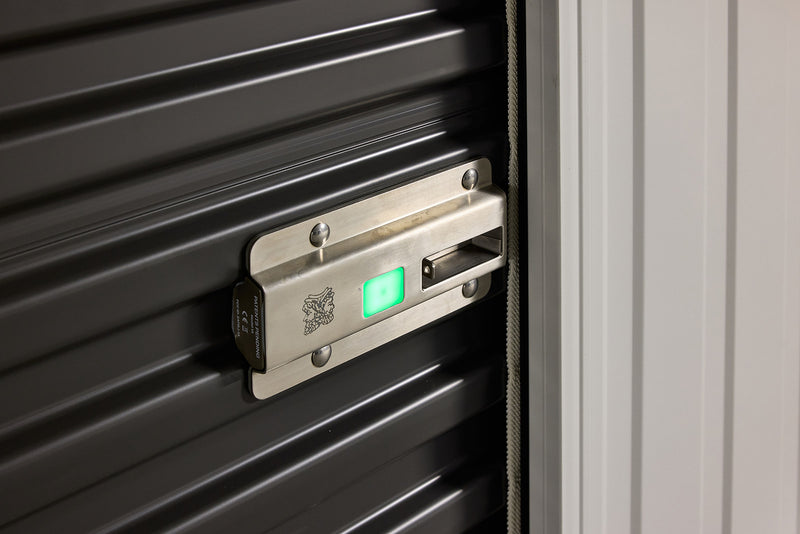
You'll receive a text message to download the secure Nokē smart app, which gives contactless access to your unit. The smart lock shows a green light, the door opens, and there's no physical key to cut, lose or hand back. We've covered how Nokē Smart Entry works in detail if you're curious about the technology.
Move-in day itself
Drive in, unlock with the app, and load your unit at your own pace. If your plans change, moving up or down a size is a matter of reserving a different unit — the month-to-month terms mean the space can follow the stuff, not the other way around.
See a unit before you book
Tours of Goodspace Rouse Hill run every Wednesday, 9:00am–5:00pm, with other weekdays by arrangement — book a tour or call (02) 9145 8090.